If you’ve ever wondered what is included in a website maintenance package, you’re not alone.
For many small business owners and startups, the website gets built… and then it’s left alone. After all, once it’s live, it should just work, right?
Not quite.
A website is not a brochure. It’s a living, working system. It runs on software, plugins, servers and security layers. Just like your car or laptop, it needs regular care.
In this guide, we’ll break down exactly what is included in a website maintenance package, why it matters, and what you should expect if you’re paying for one.
- Why Website Maintenance Matters
- 1. Core WordPress Updates (or CMS Updates)
- 2. Security Monitoring and Protection
- 3. Regular Backups (With Restore Capability)
- 4. Performance Monitoring and Speed Optimisation
- 5. Uptime Monitoring
- 6. Technical Support and Small Edits
- 7. Form and Checkout Testing
- 8. Database Optimisation
- 9. Plugin and Theme Licence Management
- 10. Hosting and Server Management
- 11. Reporting and Transparency
- What’s NOT Usually Included?
- DIY vs Professional Website Maintenance
- How Often Should Website Maintenance Be Done?
- How Much Does Website Maintenance Cost in the UK?
- How to Choose the Right Website Maintenance Package
- Is Website Maintenance Worth It?
- FAQs
- Final Thoughts
Why Website Maintenance Matters
Before diving into the details, let’s quickly address the bigger question: why does maintenance even matter?
Because without it:
- Security vulnerabilities build up
- Plugins become outdated
- Forms stop working
- Checkout processes fail
- Pages break after updates
- Your website slows down
And the worst part? You often don’t realise anything is wrong until a customer tells you.
Regular website maintenance keeps your site secure, stable and performing properly. It protects your investment and gives you peace of mind.
Now, let’s look at what is actually included.
1. Core WordPress Updates (or CMS Updates)
If your website runs on WordPress (like many small business websites do), it relies on:
- WordPress core software
- Themes
- Plugins
Each of these needs regular updates.
A website maintenance package should include:
- Safe WordPress core updates
- Theme updates
- Plugin updates
- Compatibility checks
These updates patch security vulnerabilities, fix bugs and improve performance.
However, updates can sometimes break layouts or functionality. That’s why professional maintenance includes testing and troubleshooting, not just clicking “update”.
2. Security Monitoring and Protection
Security is one of the biggest reasons businesses invest in maintenance.
Without proper protection, websites can be vulnerable to:
- Malware
- Brute force login attempts
- Spam injections
- Data breaches
A good website maintenance package should include:
- Firewall setup and monitoring
- Malware scanning
- Security hardening
- Login protection
- Spam filtering
- Security plugin configuration
If something suspicious happens, your maintenance provider should catch it early.
Security isn’t optional. It’s essential.
3. Regular Backups (With Restore Capability)
Backups are your safety net.
If your site gets hacked, corrupted or accidentally deleted, a backup allows you to restore everything quickly.
This is one of the most important parts of what is included in a website maintenance package.
You should expect:
- Daily or weekly automated backups
- Off-site storage
- One-click restore capability
- Backup testing
It’s not enough to simply “have backups”. They must work.
4. Performance Monitoring and Speed Optimisation
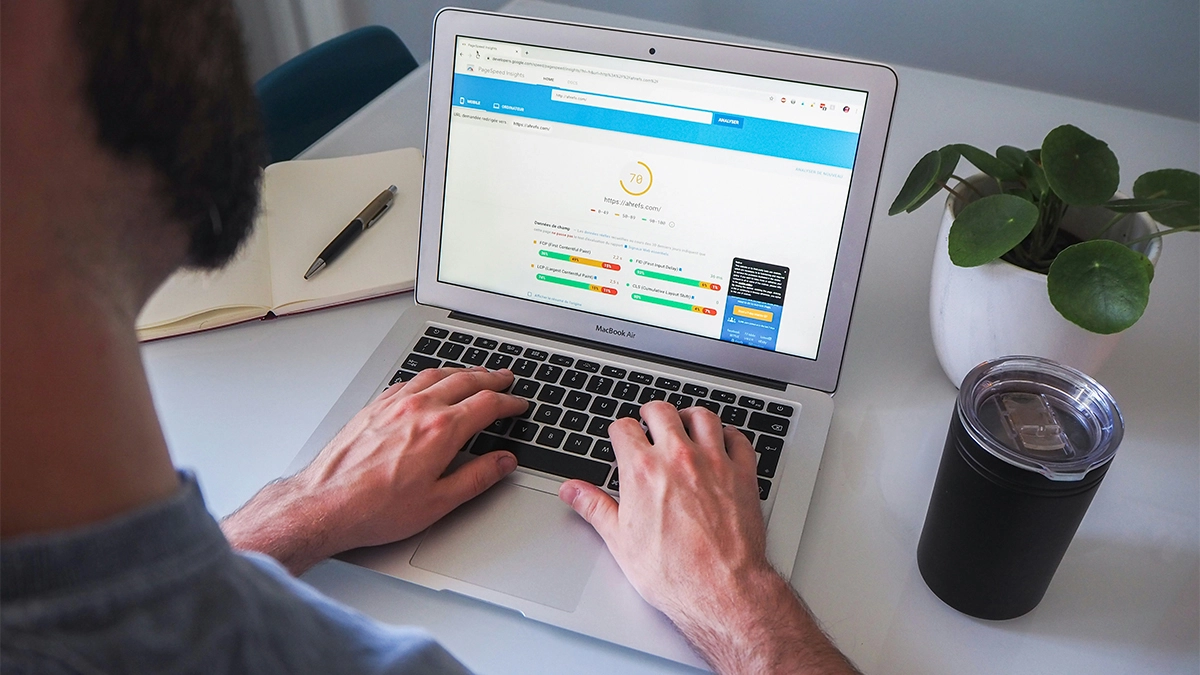
Website speed affects:
- User experience
- Conversion rates
- SEO rankings
If your site becomes slow, visitors leave.
A maintenance package should include:
- Speed monitoring
- Caching checks
- Database optimisation
- Image optimisation reviews
- Plugin performance reviews
While this isn’t the same as a full SEO service, performance maintenance ensures your site runs efficiently.
5. Uptime Monitoring
What if your website goes offline and you don’t know about it?
It could mean lost enquiries, sales and trust.
Professional website maintenance includes:
- 24/7 uptime monitoring
- Immediate alerts if the site goes down
- Investigation and resolution
Small businesses rarely monitor uptime themselves, but it’s critical.
6. Technical Support and Small Edits
Most maintenance packages include a small allocation of support time.
For example:
- Updating text
- Swapping images
- Adding a blog post
- Fixing minor layout issues
- Updating opening hours
This prevents you from needing to raise a full development project for every tiny change.
However, it’s important to clarify what is included. Larger redesigns or new feature builds are usually separate.
7. Form and Checkout Testing

Forms breaking is more common than people realise.
After plugin updates or server changes, forms can stop sending emails, and you may never know.
A strong website maintenance package includes:
- Regular form testing
- WooCommerce checkout testing (if relevant)
- Payment gateway checks
- Email delivery checks
This ensures enquiries and payments continue flowing.
8. Database Optimisation
Over time, websites collect:
- Post revisions
- Spam comments
- Transient data
- Unused database tables
This bloats the system.
Maintenance often includes:
- Cleaning unused data
- Optimising database tables
- Removing orphaned entries
It keeps your site running efficiently behind the scenes.
9. Plugin and Theme Licence Management
Many premium plugins require annual licences.
If these expire:
- Updates stop
- Security risks increase
- Features may break
Some maintenance providers manage:
- Licence renewals
- Plugin subscriptions
- Compatibility reviews
This prevents surprises.
10. Hosting and Server Management
Depending on the package, maintenance may also include hosting oversight.
This can involve:
- Monitoring server performance
- PHP updates
- SSL certificate checks
- DNS monitoring
- Fixing server-level issues
Even if hosting isn’t included, your maintenance provider should be able to liaise with your hosting company.
11. Reporting and Transparency
A professional service shouldn’t operate silently.
You should receive:
- Monthly maintenance reports
- Update logs
- Security scan summaries
- Uptime reports
- Backup confirmations
This gives you visibility into the work being done.
After all, if you’re paying for maintenance, you should see evidence of it.
What’s NOT Usually Included?
To understand fully what is included in a website maintenance package, it’s important to also know what usually isn’t.
Typically excluded:
- Full website redesigns
- SEO campaigns
- Content marketing
- Branding updates
- Large feature development
- New page builds beyond small edits
Maintenance keeps your website healthy. Growth and marketing services are separate.
DIY vs Professional Website Maintenance
You could handle maintenance yourself. Many business owners try.
However, here’s a quick comparison:
| You manage updates manually | Updates handled safely and regularly |
| No proactive monitoring | 24/7 monitoring |
| Risk of breaking the site | Tested and controlled updates |
| Time-consuming | Hands-off |
| Limited technical knowledge | Experienced support |
If you enjoy the technical side and have time to manage it, DIY can work.
However, for most business owners, time is better spent running the business.
How Often Should Website Maintenance Be Done?
Ideally:
- Updates: Weekly
- Security scans: Ongoing
- Backups: Daily or weekly
- Uptime monitoring: 24/7
- Performance checks: Monthly
A good maintenance package handles this automatically.
How Much Does Website Maintenance Cost in the UK?
Costs vary depending on:
- Website size
- E-commerce functionality
- Complexity
- Level of monitoring
- Support time included
Typically, small business website maintenance in the UK ranges from:
- £30–£75 per month for basic care
- £75–£150+ per month for more comprehensive support
If a package seems extremely cheap, it may only include basic updates without proper monitoring or support.
How to Choose the Right Website Maintenance Package
Now that you understand what is included in a website maintenance package, here’s what to look for:
- Clear Deliverables:
You should know exactly what’s covered. - Transparent Reporting:
Monthly updates should be visible. - Real Support:
Can you actually speak to someone? - Proactive Monitoring:
Not just reactive fixes. - Experience With Your Platform:
WordPress experience matters if you’re using WordPress.
Is Website Maintenance Worth It?
If your website generates:
- Leads
- Bookings
- Sales
- Credibility
Then yes, it’s worth protecting.
Your website often acts as your first impression. Leaving it unmaintained is like leaving your shopfront neglected.
Maintenance isn’t glamorous. It’s not exciting. But it is essential.
FAQs
Final Thoughts
It’s about keeping your website secure, stable and working as it should.
For small businesses and startups, this removes technical stress and reduces risk. Instead of worrying about plugin conflicts or security vulnerabilities, you can focus on growth.
A website is an asset. Maintenance protects that asset.
And if your website is bringing in enquiries or revenue, protecting it isn’t optional — it’s part of running a modern business.