If you run a small business website, you have probably asked yourself one of these questions at some point:
“Is my website actually working?”
“Should I be getting more enquiries?”
“Is this a good number of sales for the traffic I get?”
That is where conversion rates come in.
Your website conversion rate tells you how many people take a desired action after landing on your site. That action could be sending an enquiry, booking a call, buying a product, downloading a guide, signing up to a newsletter, or clicking through to WhatsApp.
In simple terms, it shows whether your website is doing its job.
But here is where things get a bit messy. There is no single perfect conversion rate for every small business website. A good conversion rate depends on your industry, traffic quality, offer, pricing, sales process, and even how much trust your website builds before someone gets in touch.
So, before you panic because someone on LinkedIn said their website converts at 12%, let’s break this down properly.
In this guide, we will look at the average conversion rate website owners can use as a benchmark, what counts as “good” for a small business, and how to improve your own website conversion rate without making everything feel pushy or sales-heavy.
- What is a website conversion rate?
- What counts as a conversion?
- The average conversion rate website owners should expect
- What is a good conversion rate for a small business website?
- Why conversion rates vary so much
- Why a “good” conversion rate is not always enough
- How to calculate your website conversion rate
- What should small businesses track?
- How to improve your website conversion rate
- Should you focus on more traffic or better conversion?
- A quick example
- Common conversion rate mistakes small businesses make
- So, what is a good conversion rate?
- Final thoughts
What is a website conversion rate?
A website conversion rate is the percentage of visitors who complete a specific action on your website.
The basic formula looks like this:
Conversion rate = conversions ÷ website visitors x 100
So, if 1,000 people visit your website in a month and 30 people fill in your contact form, your conversion rate is 3%.
That sounds simple enough. However, the important bit is deciding what counts as a conversion.
For one business, a conversion might be an online sale. Another business, it might be a phone call. For another, it might be someone requesting a quote.
A plumber, an online clothing shop, a solicitor, a fitness coach, and a marketing agency will all measure conversion differently. That is why it is dangerous to compare your website too directly with someone else’s.
Instead, you need to understand your own website goals first.
What counts as a conversion?
A conversion does not always mean a sale.
For small business websites, common conversions include:
- Contact form submissions
- Phone calls
- Quote requests
- Appointment bookings
- Free consultation bookings
- Product purchases
- Newsletter sign-ups
- Brochure downloads
- WhatsApp clicks
- Email clicks
- Account registrations
- Event bookings
The key is to choose the actions that matter most to your business.
For example, if you run a service-based business, your main conversion might be someone completing your enquiry form. If you run an e-commerce website, your main conversion will usually be a completed purchase.
However, you can also track smaller actions. These are often called micro-conversions.
A micro-conversion could be someone clicking a service page, viewing a pricing page, watching a video, or downloading a guide. These actions might not bring in money straight away, but they show that people are moving in the right direction.
For small businesses, this can be really helpful. Not every visitor will buy or enquire on their first visit. Some people need time to compare options, check reviews, look at your work, and decide whether they trust you.
The average conversion rate website owners should expect
As a general guide, many websites sit somewhere between 2% and 5% for their main conversion rate.
For e-commerce websites, conversion rates often sit around 2% to 3%. That means roughly two or three out of every 100 visitors complete a purchase.
For lead generation websites, such as service businesses, the rate can vary more widely. Some websites may convert at 1% or 2%, while stronger landing pages or highly targeted campaigns may reach 5%, 10%, or more.
However, averages only tell part of the story.
A website with a 2% conversion rate could be performing well if it sells high-value services with a long decision-making process. On the other hand, a website with a 5% conversion rate might still struggle if the enquiries are poor quality or do not turn into paying customers.
So, rather than asking, “What is the average conversion rate website owners should aim for?”, a better question is:
“Is my website converting the right people into the right type of enquiry or sale?”
That shift matters.
You do not just want more form submissions. You want more useful enquiries from people who are likely to become customers.
What is a good conversion rate for a small business website?
For most small business websites, a good conversion rate is one that consistently generates enough leads or sales to support your goals.
That might sound like a bit of a non-answer, but stay with us.
A local trades business might only need 10 strong enquiries per month from its website to stay busy. For a small e-commerce brand, they might need hundreds of monthly sales to make the numbers work. A consultant selling high-ticket services might only need two or three good leads each month.
Because of that, the “good” number depends on your business model.
As a rough guide:
- Below 1% may suggest that something is stopping people from taking action
- 1% to 3% can be normal for many websites, especially if the traffic is broad
- 3% to 5% is generally a healthy range for many small business websites
- 5% and above is strong, especially for service-based lead generation
- 10% and above is very strong, but usually depends on highly targeted traffic or a focused landing page
These numbers are not strict rules. They are starting points.
If your website currently converts at 0.5%, moving to 1.5% could make a huge difference. You do not always need a wild 20% conversion rate to make your website more profitable. Sometimes, small improvements create big results.
Ready to turn your website into something that actually brings in enquiries?
Check out our web design services
Why conversion rates vary so much
Conversion rates vary because websites do different jobs.
Some websites attract people who are ready to buy today. Others attract people who are still researching. Some businesses sell low-cost products that people can buy quickly. Others sell expensive services that require trust, calls, proposals, and a longer decision-making process.
Here are a few things that affect your website conversion rate.
1. industry
Some industries naturally convert better than others.
Emergency services, such as locksmiths or urgent repairs, may see higher conversion rates because people need help quickly. Meanwhile, higher-value services, such as architecture, legal work, coaching, or web design, may have a slower conversion journey.
That does not mean one website is better than the other. It just means the buying behaviour is different.
2. traffic quality
Not all website traffic is equal.
You could get 5,000 visitors from a viral social media post and receive almost no enquiries. Meanwhile, 300 visitors from targeted Google searches could bring in several high-quality leads.
This is why chasing traffic for the sake of traffic can become a bit of a trap.
You want the right people visiting your website. If your traffic comes from people who are actively searching for your product or service, your conversion rate will usually be stronger.
3. offer
Your offer has a huge impact on conversion.
Is it clear what you do? Is it easy to understand who it is for? Does it solve a real problem? Does it feel valuable enough for someone to take action?
If your offer feels vague, people will leave. If your offer feels clear, relevant, and genuinely useful, more people will stick around.
This applies to service businesses and e-commerce websites.
“Web design services” is fine.
“Custom WordPress websites for small businesses that need a site they can actually update” is much clearer.
Clarity wins.
4. pricing
Pricing can affect conversion rates in both directions.
If your prices are too high for your audience, people may leave. However, if your prices are too low, people may question the quality or assume there is a catch.
You do not always need to show exact pricing, especially for custom services. But you should give people enough information to understand whether you are likely to fit their budget.
That might mean showing “prices from”, package ranges, examples, or a short explanation of how you quote.
People do not like uncertainty. The more helpful you can be, the easier it becomes for them to take the next step.
5. website design
Design is not just about looking nice.
A good website helps people understand where they are, what you offer, why it matters, and what to do next.
If your website feels outdated, cluttered, slow, confusing, or hard to use on mobile, people may leave before they ever contact you.
On the other hand, a clean and well-structured website can build trust quickly.
That does not mean your site needs to be flashy. In fact, simple often works better. Clear headings, strong images, useful content, and obvious calls to action can do a lot of heavy lifting.
6. call to action
A call to action tells people what to do next.
This might be:
- Book a call
- Request a quote
- Start your project
- Shop now
- Send an enquiry
- Download the guide
- View our work
If your website does not clearly guide people, they may not take action.
Small business websites often make this mistake. They explain the service, add a few nice images, and then sort of hope people know what to do next.
They usually do not.
You need to make the next step obvious.
7. Trust signals
People need to trust you before they buy from you or contact you.
Trust signals include:
- Reviews
- Testimonials
- Case studies
- Portfolio examples
- Accreditations
- Client logos
- Clear contact details
- Real photos
- Team information
- Guarantees
- Secure payment options
- Helpful FAQs
For small businesses, trust is massive.
A visitor might like what you offer, but if your website feels thin, vague, or anonymous, they may hesitate. Adding proof can help remove that doubt.
Why a “good” conversion rate is not always enough
Here is the slightly annoying truth.
A good conversion rate does not always mean your website is performing well.
You also need to look at lead quality.
For example, imagine you have a conversion rate of 8%, but most enquiries are from people with tiny budgets, unrealistic timelines, or no real intention to buy. That might look good in Google Analytics, but it will not help your business much.
Now imagine you have a conversion rate of 2%, but those enquiries are high-quality, well-matched, and often turn into paying clients. That could be far more valuable.
So, when you review your conversion rate, ask:
- Do conversions turn into real customers?
- Are the enquiries relevant?
- Do people ask for the services I want to sell?
- Are the leads within my target budget?
- Are the conversions profitable?
This is where small businesses need to be careful.
More leads are not always better. Better leads are better.
How to calculate your website conversion rate
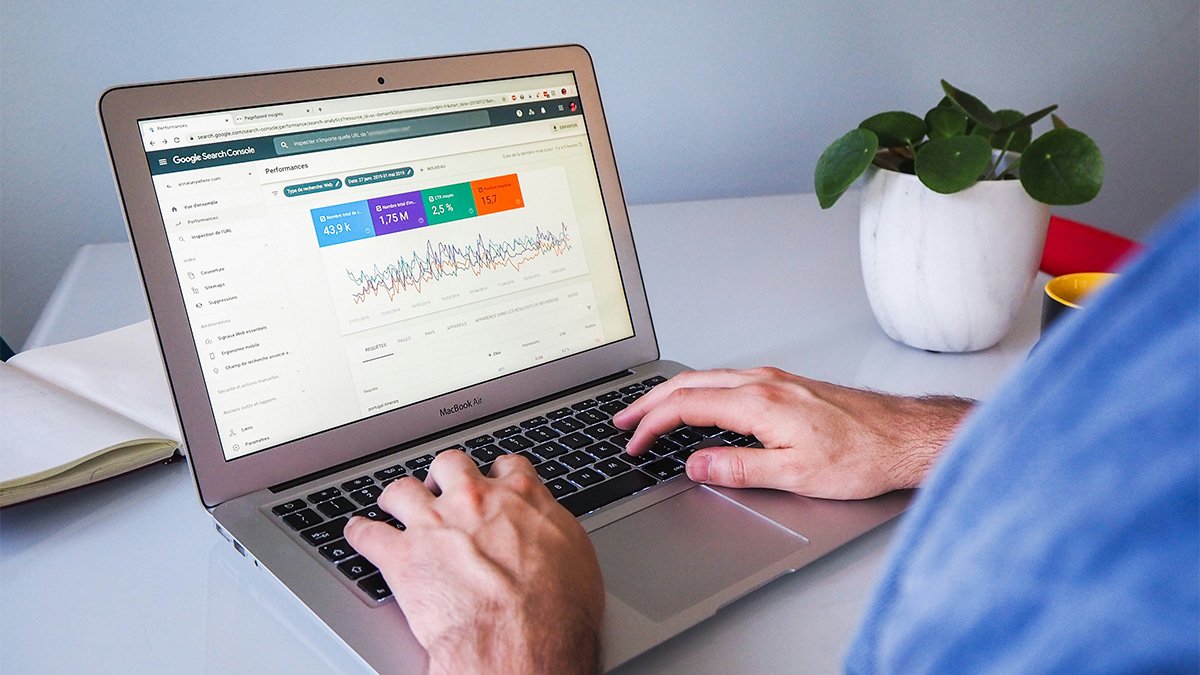
You can calculate your conversion rate manually, but it is much easier to track it through tools like Google Analytics 4.
The formula is:
Conversions ÷ visitors x 100
Here is an example:
You had 2,000 website visitors last month, and received 40 enquiries.
40 ÷ 2,000 x 100 = 2%
Your website conversion rate is 2%.
You can also calculate conversion rates for specific pages.
For example, if your main service page had 500 visitors and generated 25 enquiries, that page converted at 5%.
That is useful because your whole website conversion rate can hide what is really happening. Some pages might perform really well. Others might do very little.
Once you know which pages convert best, you can improve the weaker ones and send more traffic to the stronger ones.
What should small businesses track?
You do not need to track everything.
In fact, tracking too much can make things more confusing. Small business owners already have enough plates spinning without turning Google Analytics into a second job.
Start with the basics:
- Website visitors
- Traffic source
- Contact form submissions
- Phone number clicks
- Email clicks
- Booking clicks
- Online purchases
- Popular pages
- Exit pages
- Conversion rate by page
- Conversion rate by traffic source
This gives you a practical view of what is happening.
For example, you might find that Google traffic converts better than Instagram traffic. Or you might find that your pricing page gets lots of views but very few enquiries. That tells you where to focus.
How to improve your website conversion rate
Improving your conversion rate is not about tricking people.
It is about making your website clearer, easier to use, and more useful.
Here are some practical ways to improve it.
1. Make your headline clearer
Your homepage headline should quickly explain what you do and who you help.
Avoid vague lines like:
“Creative solutions for modern businesses”
That could mean anything.
Instead, say something more specific:
“Web design and digital marketing for small businesses that want to grow online”
It might not sound as mysterious, but it works harder.
When people land on your website, they should understand what you offer within a few seconds.
2. Strengthen your main call to action
Your call to action should stand out and feel easy to follow.
If you want people to book a call, use “Book a Call”. If you want them to request a quote, use “Request a Quote”. If you want them to buy, use “Shop Now”.
Try not to be too clever here.
Clear beats cute.
Also, make sure your CTA appears in key places, such as your hero section, service pages, after testimonials, and near the bottom of each page.
3. Improve your page speed
People do not like slow websites.
If your website takes too long to load, visitors may leave before they even see your offer. This is especially true on mobile, where connections can be slower, and patience can be thinner.
Compress large images, remove unnecessary plugins, use good hosting, and avoid loading too many scripts.
A faster website creates a better experience. A better experience usually supports better conversion.
4. Make your website mobile-friendly
Most small business websites get a lot of traffic from mobile devices.
So, if your website looks good on desktop but feels awkward on mobile, you could be losing enquiries.
Check your website on a real phone. Do not just shrink your browser window and call it a day.
Look at your text size, buttons, menus, forms, spacing, and images. Can people read everything easily? Can they tap buttons without zooming in? Can they complete your form without getting annoyed?
If not, fix that first.
5. Reduce friction in your forms
Long forms can put people off.
That does not mean every form needs to be tiny, but you should only ask for what you actually need.
For a first enquiry, you might only need:
- Name
- Phone number
- Message
- Service required
If you ask for too much too soon, people may give up.
You can always gather more details later.
6. Add proof near your calls to action
If someone is close to enquiring, a strong review or case study can help them feel more confident.
Place testimonials, star ratings, portfolio links, or short results near your calls to action.
For example, before a “Book a Call” button, you could include a short testimonial from a happy client.
This gives people a little nudge of reassurance at the right moment.
7. Make your offer easier to understand
If people have to work hard to understand your service, they probably will not enquire.
Break your offer down into simple sections:
- What you do
- Who it is for
- What is included
- How the process works
- What happens next
- What it might cost
- Why they should choose you
This is especially important for service-based businesses.
People do not want to decode your website. They want answers.
8. Use better images
Generic stock photos can make a website feel forgettable.
Where possible, use real images of your team, workspace, products, clients, projects, or process. Real visuals build trust and make your business feel more human.
If you do use stock images, choose carefully. Avoid anything that looks too staged or corporate unless it genuinely fits your brand.
Your website should feel like your business, not a template wearing a blazer.
9. Add FAQs
FAQs are great for conversions because they answer the questions people may have before getting in touch.
You can cover things like:
- How much does it cost?
- How long does it take?
- What areas do you cover?
- Do you offer payment plans?
- What happens after I enquire?
- Can I book a consultation?
- Do you work with businesses like mine?
Good FAQs remove doubt. Less doubt means more people feel ready to take action.
10. Review your traffic sources
Sometimes the problem is not your website. It is the traffic.
If the wrong people visit your site, they will not convert.
Look at where your traffic comes from. Are visitors finding you through relevant Google searches? Are they coming from social media? Are they clicking from paid ads? Are they local? Are they your target audience?
This matters because different traffic sources behave differently.
A visitor who searches “emergency plumber near me” is much more ready to act than someone who casually sees a plumbing tip on Instagram.
Both can be useful, but they will not convert at the same rate.
Ready to turn your website into something that actually brings in enquiries?
Check out our web design services
Should you focus on more traffic or better conversion?
Ideally, both.
However, if your website already gets a decent amount of traffic but very few enquiries, focus on conversion first.
There is no point in pouring more people into a website that does not guide them properly.
On the other hand, if your website converts well but hardly anyone visits it, you need to focus on traffic through SEO, Google Ads, social media, email marketing, or other channels.
A simple way to look at it is this:
More traffic helps more people find you.
Better conversion helps more of those people take action.
You need both working together.
A quick example
Let’s say your website gets 1,000 visitors per month and converts at 1%.
That gives you 10 enquiries.
If you improve your conversion rate to 2%, you get 20 enquiries from the same amount of traffic.
You have doubled your enquiries without doubling your marketing spend.
That is why conversion rate optimisation can be so powerful. Small changes can make a big difference when they are focused on the right areas.
Common conversion rate mistakes small businesses make
Small business websites often lose conversions for simple reasons.
Here are some of the big ones:
- You website doesn’t clearly explain what the business does
- The call to action is weak or hidden
- Contact form is too long
- Mobile experience is poor
- Your website loads slowly
- There are no reviews or testimonials
- The copy focuses too much on the business and not enough on the customer
- Service pages feel vague
- The navigation is confusing
- Your website looks outdated
- There is no clear next step
The good news is that most of these problems are fixable.
You do not always need a full rebuild. Sometimes, you need sharper copy, clearer structure, better calls to action, stronger proof, and a smoother user experience.
So, what is a good conversion rate?
A good conversion rate for a small business website is usually somewhere between 3% and 5%, but that is only a guide.
For e-commerce websites, 2% to 3% can be perfectly normal.
For service-based websites, anything above 5% is often strong, especially if the leads are relevant and high quality.
However, the best benchmark is your own website.
Look at where you are now. Then aim to improve it gradually.
- If your website converts at 1%, aim for 2%.
- For a 3% conversion, aim for 4%.
- If it converts at 5%, look at lead quality, sales follow-up, and customer value.
Conversion rate is not just a number to brag about. It is a signal. It helps you understand whether your website is turning visitors into real business opportunities.
Final thoughts
Your website does not need to convert every visitor. That would be lovely, but also slightly suspicious.
What it needs to do is guide the right people towards the right action.
For small businesses, a good website should make things clear. It should explain what you do, build trust, answer common questions, and make the next step easy.
So, while the average conversion rate website owners see can be useful as a benchmark, it should not become the whole story.
Focus on your own goals. Track the actions that matter. Improve the pages that get traffic. Make the user journey easier. And most importantly, make sure your website speaks to the people you actually want to work with.
Because a better conversion rate is not just about getting more clicks.
It is about turning more of the right visitors into customers.
Need Help Turning Visitors into Enquiries?
If your website gets traffic but doesn’t generate enough enquiries, the issue might not be traffic. It could be the structure, messaging, calls to action or user journey.
We help businesses create websites that are clear, easy to use and built around real goals. If you’re looking for web design in Newark or web design in Nottingham, we can help you create a website that gives visitors a clearer reason to take the next step.
Get in touch and let’s look at what could be improved.