Someone looking for a web designer might type “web design Newark” into Google. In ChatGPT, they might ask, “Who can build a WordPress website for my business in Newark, and can they look after it once it’s live?”
That second question gives the search tool more to work with. The person wants a particular type of website, someone who serves their area and provides ongoing support. They might get a shortlist, ask what each provider offers and visit one or two websites before enquiring.
OpenAI’s new Businesses in ChatGPT feature lets eligible businesses manage some of the details customers can see during that process. If you’re wondering how to claim your business in ChatGPT, start with Business Hub, find or add an eligible profile and complete the verification steps. If you run a physical shop or café in the UK, check an important beta restriction before you start.
- What Is Businesses in ChatGPT?
- Why AI Search Matters for Small Businesses
- What Are the Benefits of Claiming Your Business?
- Can UK Businesses Claim a Profile?
- How to Claim Your Business in ChatGPT Step by Step
- What Can You Do if You Can’t Claim Your Business Yet?
- Is It Worth Claiming Your Business in ChatGPT?
What Is Businesses in ChatGPT?
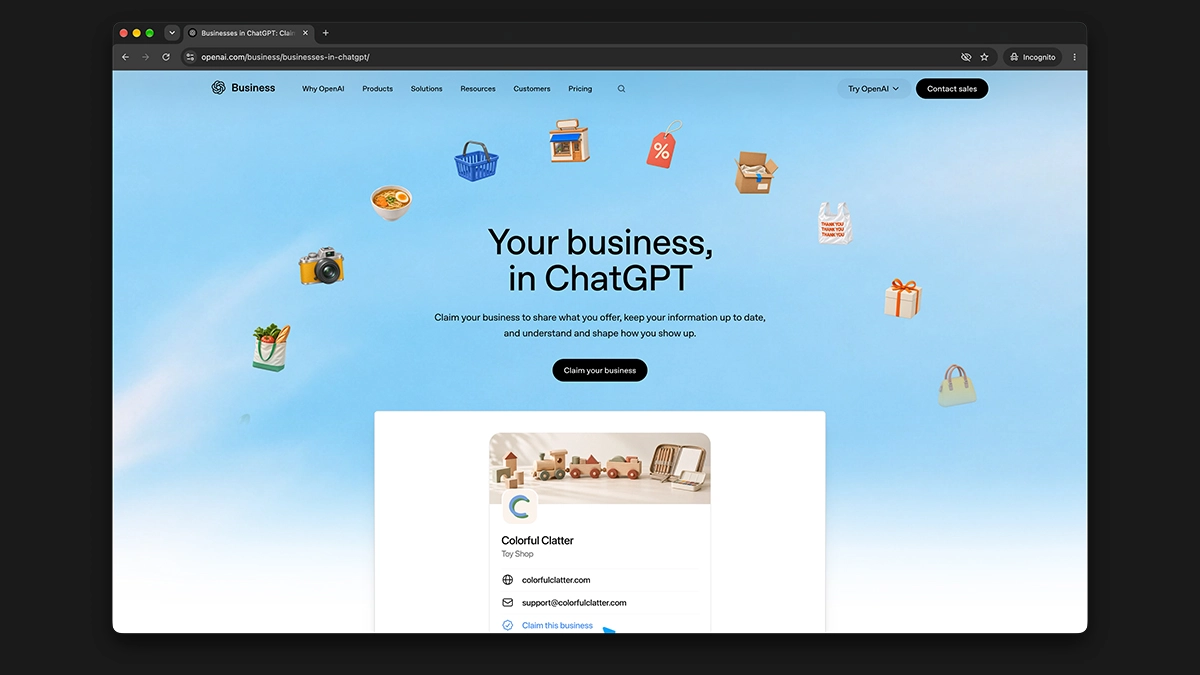
Businesses in ChatGPT is a feature OpenAI launched in beta on 10 November 2026. It gives eligible businesses a profile they can claim and manage through Business Hub. When ChatGPT mentions a business, a customer may be able to open its profile and find out more. Once you’ve completed verification, you can submit updates to details such as your website, description, category and logo. Retailers can also share product information, including prices and availability. Read OpenAI’s launch announcement.
If you’ve used Google Business Profile, the idea will feel familiar. You confirm that you represent the business, then keep the details customers need up to date. ChatGPT can also draw on other sources and decide when to include a business in an answer. A claim doesn’t guarantee recommendations, and you can claim an eligible profile without running ads.
You might also see OpenAI talk about Business Agents. An agent is an optional feature that customers can choose to chat with about a company’s products or policies. At launch, OpenAI limited agents to eligible US e-commerce and online service businesses. If you’re a UK business, focus on whether you can claim a profile first.
Why AI Search Matters for Small Businesses
Ofcom recorded 1.8 billion UK visits to ChatGPT in the first eight months of 2025, up from 368 million in the same period of 2024. Those figures cover all kinds of ChatGPT use, from writing emails to researching a purchase. Ofcom’s report also found that Google remained the UK’s most-used search service. For a small business, AI search gives customers another place to start their research. See Ofcom’s Online Nation findings.
Think about a small business owner looking for an accountant. They might start by asking ChatGPT to explain what they need in their first year of trading. A few messages later, they might ask for accountants who work with new limited companies, offer remote appointments and can help with Xero. By the time they visit a website, they already have a good idea of what they’re looking for.
That makes the details on your website especially useful. “We offer a personal service” tells the customer very little about whether you can help. A page that explains which businesses you work with, what’s included and how someone gets started gives them something concrete to go on. If you’re unsure how your customers describe what they need, start with our guide to local SEO keyword research.
People can also discover your business without clicking through at the time. Someone might see your name in an answer, search for it later and call you from Google Maps. That’s worth bearing in mind when you’re looking at website traffic. A simple “How did you hear about us?” question on an enquiry form or during a call can give you more context.
What Are the Benefits of Claiming Your Business?
Give Customers Better Information
Say you’ve changed your website address or stopped offering a service you used to promote. A verified profile gives you another place to update that information. It’s helpful if an old directory listing or third-party article still describes the business as it was two years ago. Update your own website and any listings you manage at the same time so customers can find consistent information wherever they start.
See How People Discover You
Business Hub’s Insights cover the previous 28 days and can show mentions, website clicks and discovery topics. Discovery topics are broad themes from answers that feature your business. If you sell handmade desks and see recurring interest in furniture for small spaces, you could check whether your product pages explain dimensions, assembly and access for delivery clearly enough.
Treat those numbers as a starting point. A mention and a website click tell you different things, and a blank metric can mean there’s too little data to show it. Check the insights alongside website enquiries or sales before deciding where to spend more time. See how OpenAI counts profile activity.
Can UK Businesses Claim a Profile?
As of 20 November 2026, eligible UK e-commerce and online service businesses can check Business Hub for a claim or an option to add a profile. OpenAI says access depends on your location, business type and whether it can verify your business.
The main limitation for UK readers applies to physical locations. OpenAI’s setup guide currently says local shops and restaurants can only claim existing US listings. So if you run a café in Nottingham and can’t find a claim option for the café, that fits the current rollout. If you also sell coffee online, check what Business Hub offers for your online business. Check OpenAI’s current eligibility and setup guidance.
How to Claim Your Business in ChatGPT Step by Step
Step 1. Sign In and Open Business Hub
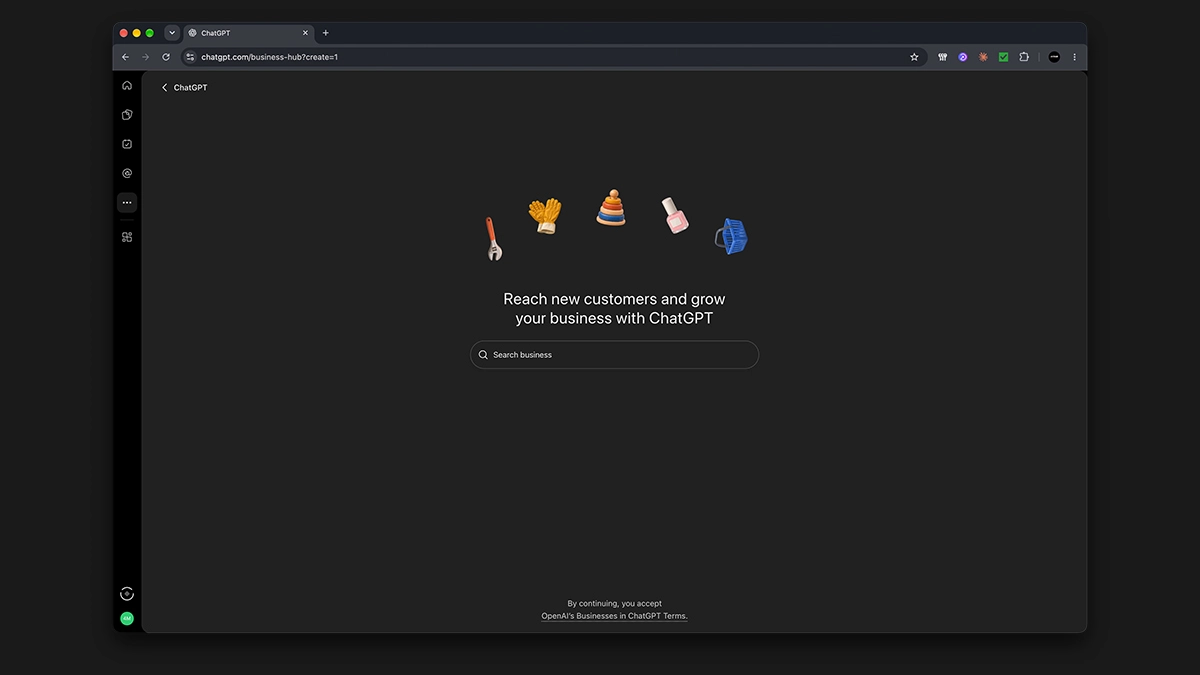
Use the ChatGPT account you want to manage the profile from. The business owner or someone authorised to act for the business should start the claim. Open Business Hub from the ChatGPT sidebar, or go directly to Business Hub.
It’s worth having your website address, registered business details and access to your business email or phone to hand. If someone else manages your domain, find out who to contact in case you’re offered website verification.
Step 2. Find Your Business or Add It if Eligible
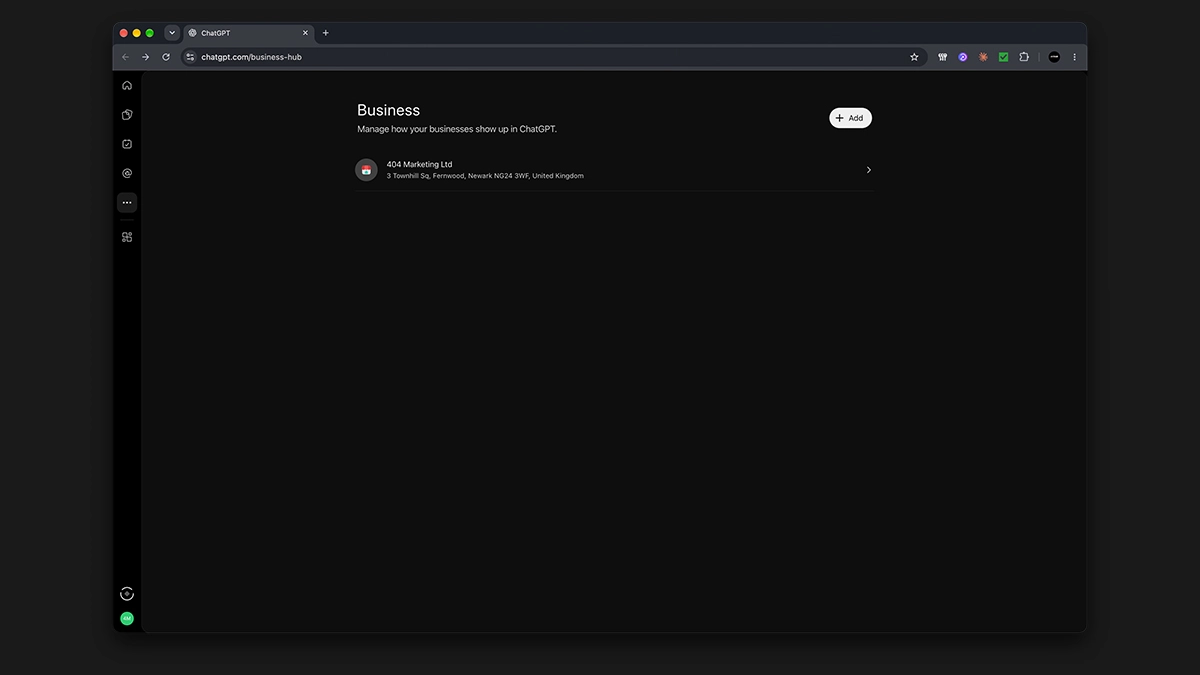
Search for your business by name. Where several results look similar, check the website and any location details before selecting one. Then confirm which ChatGPT account you’ll use to manage the profile.
If you can’t find your business and you’re eligible, Business Hub may offer to add it. If an existing profile is locked and shows Contact support, use that option. If the correct profile has already been claimed, you can open its three-dot menu and select Dispute ownership if you’re authorised to represent it.
Step 3. Verify Your Connection to the Business
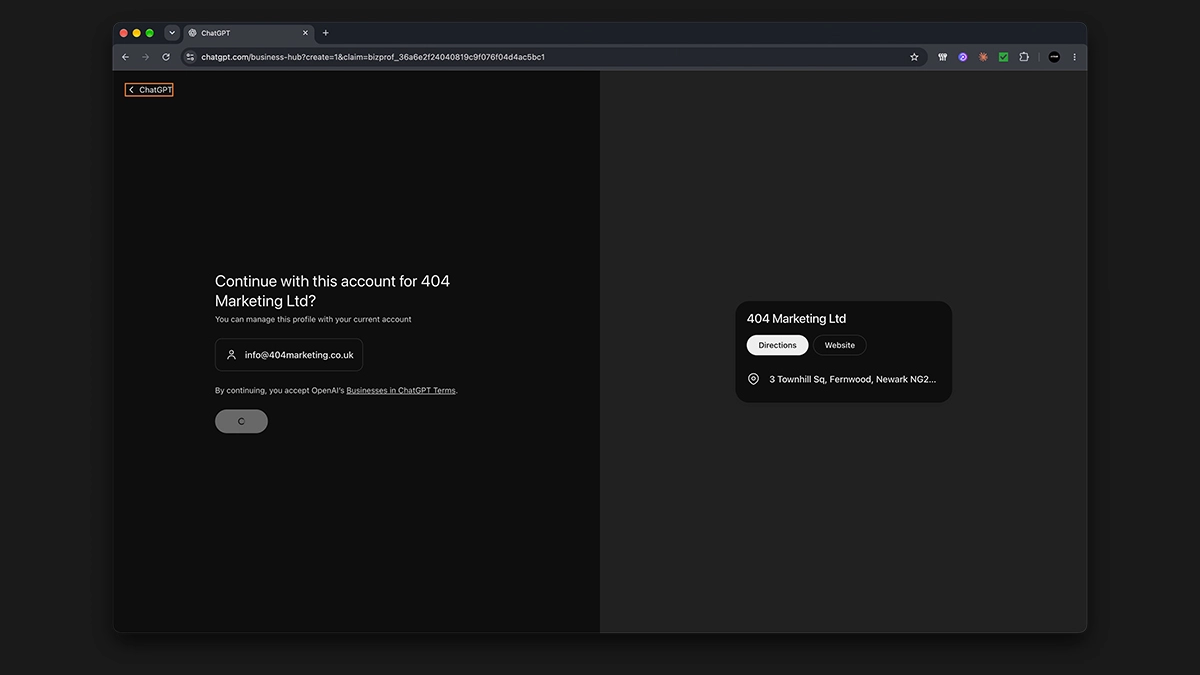
Choose from the methods Business Hub shows for your listing. The options can vary.
- Business phone. Request a code by text or automated call, depending on what’s offered, and enter it in ChatGPT.
- Business email. Request a code and enter it from the inbox associated with your business.
- Website domain. Add the TXT record ChatGPT gives you to your domain’s DNS settings. DNS is where your domain’s technical records live. If your web developer or domain provider manages them, pass along the record exactly as it appears. Then return to Business Hub and select Verify domain once the record is available.
- Shopify store. If offered, connect your store and follow the prompts. You can also start the process from the ChatGPT app in your Shopify admin.
OpenAI will email you with a decision on the claim or ask for more information. If the claim is pending, give it time to go through review before trying again.
Step 4. Complete Identity Verification With Persona
After you’ve verified your connection to an existing listing, there’s a separate identity check. Open your business profile, find the option to complete verification with Persona and follow the prompts. OpenAI requires Persona approval to publish edits and unlock insights.
Have your official details ready. You may need photo ID, business registration information and proof that you can act for the business. If you trade under a different name, use the registered name where the form asks for your legal business name. For a new profile created through Persona, OpenAI says the profile publishes automatically once it approves the submission, so check the details before you submit. Follow OpenAI’s full verification instructions.
Step 5. Review Your Profile and Submit Your Updates
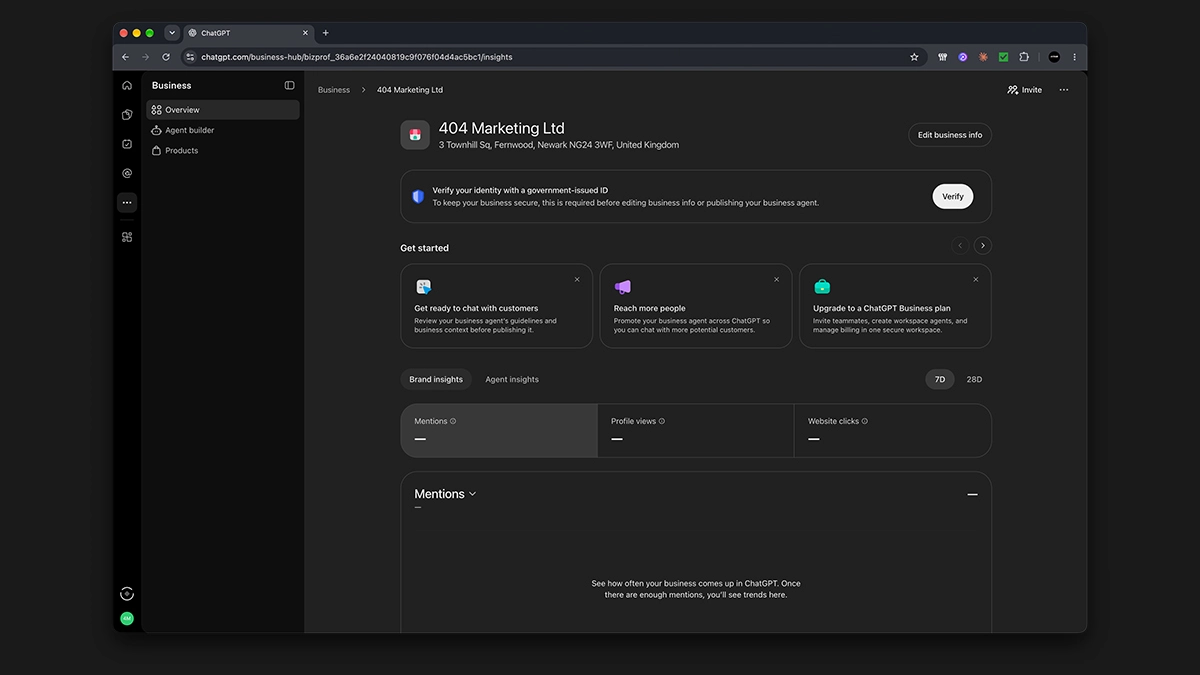
After approval, open your profile and check the website link, business description, category and logo. If you sell products, review any delivery and returns information you add. Write a description a customer would understand on their first read. For example, “We sell made-to-measure oak desks for home offices and deliver across mainland Great Britain” tells someone what you offer, who it’s for and where you deliver.
OpenAI reviews edits, so give changes time to appear. When you next update your website because your services or policies have changed, check your ChatGPT profile at the same time.
What Can You Do if You Can’t Claim Your Business Yet?
Start with the pages people need to make a decision. If you fit kitchens, explain which areas you cover, whether you offer design and installation, and how someone books a visit. If you sell online, make delivery costs, lead times and returns easy to find. Put important information in the text on the relevant page so readers can find it without opening a brochure or studying an image.
Next, check the places where customers already find you. If you serve customers locally, review your Google Business Profile and the directories that actually send you business. Compare your name, contact details and opening hours with your website. Our local SEO checklist walks you through what to check.
Finally, try a couple of searches in ChatGPT using the questions you hear from customers. You could try one that uses your business name and one that describes the service and location without naming you. When the answer includes sources, open them and see where the information came from. If you spot gaps or outdated details on pages you manage, fix those first. For more examples, see our guide on how to optimise your website for AI answers.
Is It Worth Claiming Your Business in ChatGPT?
If Business Hub gives you a claim option, it’s worth taking a look. You can check how the business is described, give customers a current website link and start building a picture of the questions that lead people to you. Put it on the same update list as your website and other business profiles so it stays useful as things change.
If you’re waiting for UK local listings to open up, use that time to work on a page customers already visit. Pick one important service and check whether the page answers the three questions you hear most before an enquiry. That’s an improvement customers can benefit from today.
Want help making your business easier to find online? Explore our SEO services or request a free website audit.