If you’ve ever wondered why every website seems to ask you to “accept cookies,” you’re not alone. For many small businesses, cookies feel like a technical headache you don’t have the time (or patience) to deal with. But with the right guidance, cookies are actually straightforward and incredibly helpful for understanding your website visitors, improving user experience, and staying legally compliant.
In this guide, we’ll break down website cookies explained in a way that makes sense, even if you’re not particularly tech-minded. We’ll cover what cookies are, why they exist, how they help your business, and what you need to do to stay compliant in the UK.
Let’s get started.
What Are Website Cookies?
Cookies help your website remember who your users are and how they interact with your content, but if they’re not essential, you must ask permission to use them.
Website cookies are tiny text files stored on a visitor’s device when they land on your website. They’re not programs, and they can’t run code or cause harm. Instead, they store simple bits of information such as:
- Whether a user is logged in
- Items added to a shopping basket
- Whether someone has accepted your cookie banner
- Pages visited and interactions (for analytics)
Think of cookies like a short-term memory system for your website. Without them, users would need to log in again on each page, shopping baskets would reset, and your analytics would basically stop working.
Why Do Websites Use Cookies?
Cookies are essential for modern websites. Businesses use them for several reasons:
1. Functionality
These cookies keep your site working properly. Like remembering login details or keeping track of basket items. Without them, your website would feel broken.
2. Analytics & Performance
These cookies tell you:
- Where users come from
- What pages they visit
- How long they stay
- What content they interact with
If you run Google Analytics, you’re using cookies.
3. Personalisation
This could include remembering language preferences or showing relevant content based on previous visits.
4. Advertising & Tracking
If you run retargeting ads, Google Ads, Facebook Pixel, or any ad personalisation tools, cookies power all of it.
The Different Types of Website Cookies
To understand what your website is doing, and what your cookie banner needs to cover, it’s useful to know the main types of cookies.
1. Essential (Strictly Necessary) Cookies
These are required for your website to function. They don’t need user consent.
Examples:
- Login sessions
- Items in a basket
- Basic security tools
- Cookie preference settings
2. Analytics Cookies
These help you understand how your website is used.
Examples:
- Google Analytics
- Microsoft Clarity
- Hotjar
These do require consent in most cases.
3. Functional Cookies
These improve the user experience but aren’t essential.
Examples:
- Remembering form inputs
- Saving language preferences
- Video player settings
4. Advertising Cookies (Marketing Cookies)
These track user activity to personalise ads.
Examples:
- Facebook Pixel
- Google Ads remarketing
- TikTok Pixel
These always require active consent.
Do UK Websites Need a Cookie Banner?
In short: yes, almost always.
Under UK GDPR and the Privacy and Electronic Communications Regulations (PECR), any website that uses non-essential cookies must have:
- A cookie banner
- A cookie policy
- An option to accept or reject cookies
If you run Google Analytics, you’re using non-essential cookies. So you need a banner.
Only websites that use strictly necessary cookies only (extremely rare) can skip a banner.
What a Cookie Banner Must Include (UK Requirements)
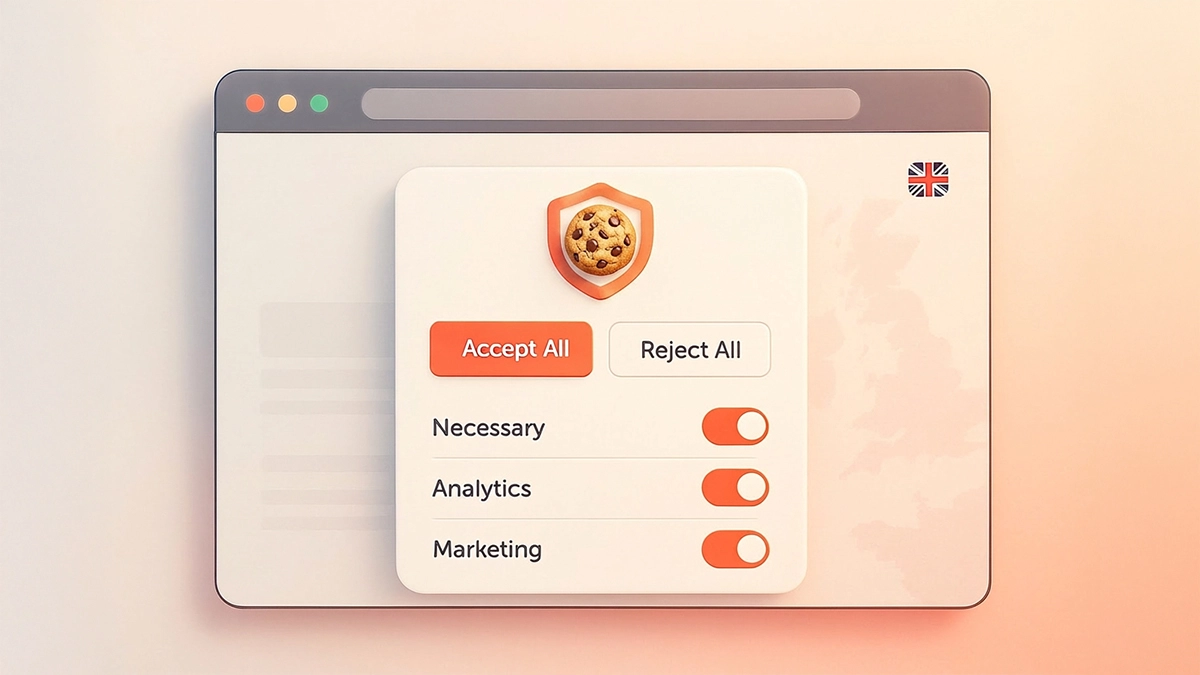
A compliant cookie banner must allow users to:
- Accept all cookies:
Clear and easy to click. - Reject non-essential cookies:
Rejecting must be just as easy as accepting. - View your full cookie policy:
This should include:- Cookie types
- Cookie duration
- Third-party tools used
- Why cookies are used
- Change preferences later:
Your banner or cookie plugin should include a small “cookie settings” button that remains visible.
Do You Need a Cookie Policy Page?
Yes. Even with a banner, you must have a dedicated policy page that covers:
- What cookies your site uses
- Whether they are first-party or third-party
- Why they’re used
- How long they last
- How users can opt out
Most small businesses forget to list the specific tools they use. If you have a Facebook Pixel, that must be named. If you have GA4, same story.
What Are the Penalties?
This is one of the biggest questions small business owners ask:
“Can I get away without a cookie banner?”
Let’s break it down honestly, both the legal penalties and the real-world likelihood of getting caught.
The Legal Penalties (UK)
Cookie rules in the UK fall under PECR (Privacy and Electronic Communications Regulations 2003), enforced by the ICO (Information Commissioner’s Office).
The ICO has the power to issue:
- Fines of up to £500,000:
This applies to PECR breaches, including using non-essential cookies without consent. - Enforcement Notices:
The ICO can force a business to:- Add a cookie banner
- Stop using analytics/advertising scripts
- Change how they collect consent
- Public Enforcement Action:
They can publicly publish your business name on the ICO website, which can damage reputation, especially for agencies or e-commerce brands.
These penalties aren’t theoretical, the ICO has taken real action against businesses for cookie violations.
Examples of Real UK Enforcement
Recent ICO actions include:
- Major fines against large companies:
Well-known brands (e.g., adtech firms, telecoms companies) have been fined hundreds of thousands of pounds specifically for PECR breaches involving tracking and cookies. - Warnings and notices issued to SMEs:
Many smaller businesses have received formal warnings, forcing them to fix:- “Accept only” cookie banners
- Analytics firing before consent
- Hidden or misleading cookie settings
- No cookie policy
While fines for small businesses are less common, warnings are very common, and ignoring a warning does lead to fines.
So… What’s the Likelihood of a Small Business Getting Caught?
Here’s the honest, realistic answer: The risk is low… until it isn’t.
Most small businesses never get checked randomly.
BUT the situations where small businesses do get caught are surprisingly common:
The Big Question: “Is it worth the risk?”
For most small businesses, the real issue isn’t the fine — it’s this:
- You lose accurate analytics
- Your ads perform worse
- You can’t build remarketing audiences
- You risk a public ICO complaint
- It looks unprofessional
- It’s cheap and easy to fix
A compliant banner takes 5–15 minutes to set up with tools like:
So the real question becomes: Why risk it when the fix is simple, free, and professional?
Featured
Free website audit
A free website audit gives you a clear picture of how your site is performing and where you can make easy improvements. Done by a human and not AI.

The 5 Most Common Ways Small Businesses Get Caught
1. A Customer or Website Visitor Reports You
Anyone can file a complaint with the ICO.
One annoyed visitor = investigation started.
This is more common than you think.
2. A Competitor Reports You
This happens a LOT.
Especially in industries where:
- Competitors are very similar
- Everyone is fighting for rankings
- Someone sees you run ads but has no cookie banner
You’d be surprised how often this triggers an investigation.
3. You Run Paid Ads (Google, Facebook, Insta, TikTok)
Ad platforms now require proper consent signalling.
Your ads can trigger:
- Data warnings
- Tracking restrictions
- Pixel blocking
- Automated checks
Google has even introduced Consent Mode v2, which requires compliant cookie banners.
If your website fires tracking scripts without consent, you may:
- Lose remarketing
- Lose personalised ads
- Get flagged automatically
This is becoming one of the biggest “detection” points.
4. You Use Google Analytics Without Consent
Google Analytics is a non-essential tool.
If GA loads before consent and a visitor reports it, the ICO will take action because:
- Google Analytics sets cookies immediately
- PECR requires explicit consent
Analytics misuse is one of the ICO’s biggest enforcement areas.
5. You’re Already Under Review for Something Else
If the ICO investigates you for:
- Email marketing
- A data breach
- Spam complaints
- A GDPR-related issue
…they often check your cookie compliance too.
Why Cookie Compliance Matters (Even for Small Businesses)
Many small business owners assume cookie compliance only affects large companies, but that’s no longer the case.
Here’s why it matters:
- It’s a legal requirement:
The ICO (Information Commissioner’s Office) has actively fined UK businesses (big and small) for non-compliance. - It builds trust:
Consumers are becoming more privacy-aware. A clear banner shows transparency and boosts credibility. - It improves your analytics accuracy:
When done properly, consent tools respect user privacy and give you cleaner data. - It prevents ad platform issues:
Platforms like Google and Meta have been tightening tracking requirements.- Incorrect consent setups can:
- Limit ad personalisation
- Restrict remarketing audiences
- Trigger warnings or reduced tracking
- Impact conversion reporting
How to Make Your Website Cookie Compliant
You don’t need to be a developer to sort your website’s cookies. Here’s a simple step-by-step checklist.
Step 1: Audit the Tools on Your Website
Make a quick list of the plugins or scripts you use, such as:
- Google Analytics
- Facebook Pixel
- TikTok Pixel
- Hotjar
- Clarity
- Live chat plugins
- Youtube/Vimeo embeds
Anything that tracks or stores data uses cookies.
Step 2: Install a Cookie Consent Tool
If your website is built on WordPress, you’re in luck. There are several easy options:
Recommended WordPress Plugins
- CookieYes (Beginner-friendly, widely used, free tier available)
- Complianz (Most complete for UK GDPR)
- Cookiebot (Powerful but more technical to configure)
These tools automatically scan and block non-essential cookies until the user accepts.
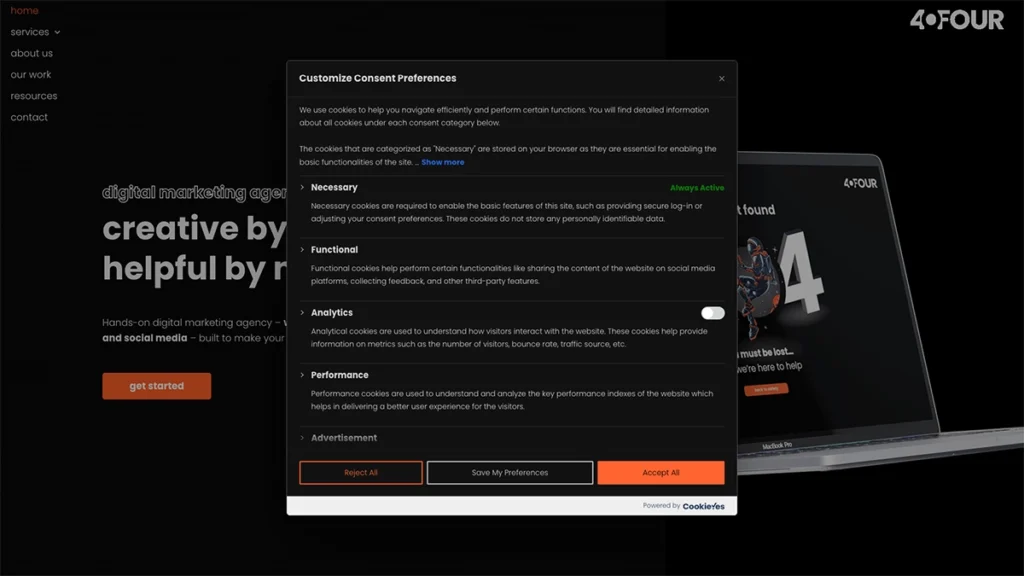
Step 3: Configure Your Cookie Categories
Customise the banner to match your brand.
Then set up categories such as:
- Necessary
- Analytics
- Functional
- Marketing
Most plugins come with preset categories you can customise.
Step 4: Link to Your Cookie Policy
Your banner should have:
- Accept button
- Reject button
- Cookie settings
- Link to policy page
Place the policy in your footer so it’s always accessible.
Step 5: Test That Cookies Are Blocked Before Consent
Before hitting publish, test your site in a private/incognito window.
Check that:
- Google Analytics isn’t firing before consent
- Ad pixels aren’t firing before consent
- The page loads correctly even if all cookies are rejected
- Users can change their preferences
Your plugin’s dashboard usually includes tools to confirm this.
Step 6: Keep Your Cookie Policy Up to Date
Whenever you add a new plugin or tracking tool, update your policy.
If you’re adding:
- A new booking system
- A new chat widget
- A new analytics tool
- A new ad pixel
…your cookie policy may need updating.
Featured
Free website audit
A free website audit gives you a clear picture of how your site is performing and where you can make easy improvements. Done by a human and not AI.
How Cookies Affect Marketing Tools You Might Already Use
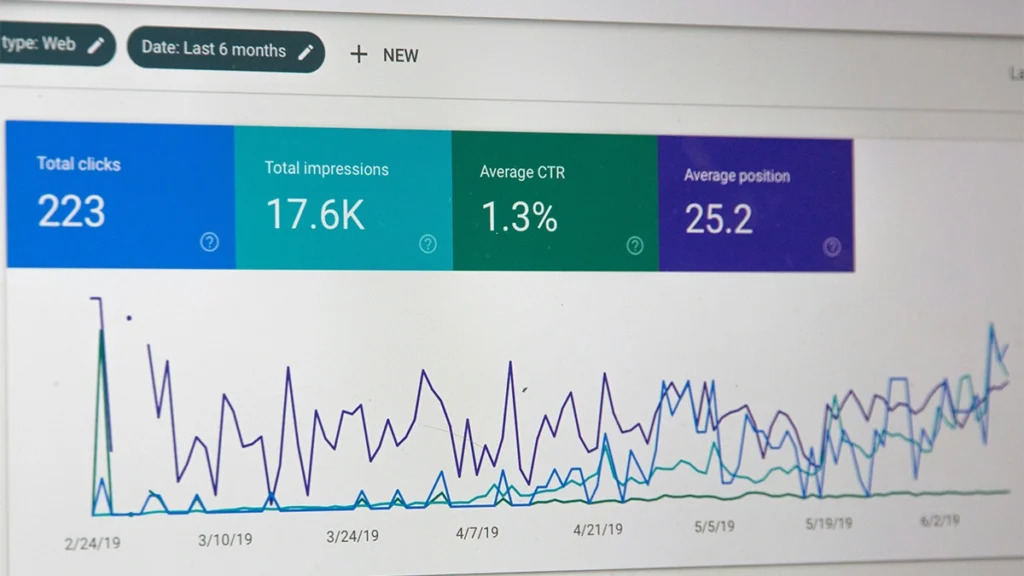
If you run digital campaigns through Google Ads, Meta Ads, or use analytics, cookies are powering a lot of your data. Here’s how cookies play a role in the tools you use:
Google Analytics (GA4)
GA4 still uses cookies for measurement, though fewer than Universal Analytics.
Without consent, GA4 should not fire cookies. Your plugin must block GA4 until accepted.
Facebook Pixel
Facebook/Meta tracking relies heavily on cookies for:
- Remarketing
- Lookalike audiences
- Conversion tracking
Your cookie banner must block Pixel until a user accepts marketing cookies.
Google Ads
Personalised ads and remarketing lists require cookie consent. Without it, your ads may still run, but targeting becomes weaker.
Microsoft Clarity or Hotjar
These tools store cookies to capture heatmaps and session recordings. They need consent.
How Long Do Cookies Stay on a User’s Device?
- Session Cookies:
Deleted when the user closes their browser. Common for logins and shopping carts. - Persistent Cookies:
Stay for days, weeks, or months, depending on the expiry period. Used for analytics, preferences, and ad tracking.
By law, cookies shouldn’t stay longer than necessary. Most third-party tools set their own durations, but your policy should reflect these.
How Cookies Affect Your SEO
You might worry that rejecting cookies could damage your data or performance.
However, proper consent tools actually strengthen your marketing:
- Cleaner analytics data:
Users who reject cookies aren’t counted, but that’s better than inaccurate tracking. - Better compliance signals:
Google prefers websites that follow privacy best practices. - Smoother ad performance:
Platforms flag incorrect consent setups, which can limit targeting.
Do Cookies Slow Down Your Website?
Cookies themselves don’t slow your site down.
What can slow it down is:
- Heavy tracking scripts
- Multiple ad pixels
- Heatmap tools running in the background
If you’re running five different marketing scripts, it might be time for a tidy-up.
Should You Allow Users to Reject Cookies?
Yes. And the reject option must be:
- As clear as the accept button
- Not hidden behind extra clicks
- Not styled to be hard to find
Trying to hide the reject option is against ICO guidance.
Common Cookie Mistakes Small Businesses Make
Here are the issues we see most often when auditing websites:
- “Accept only” banners:
This is non-compliant, even if you see big brands doing it. - Google Analytics firing without consent:
This is one of the most common (and easiest to fix) issues. - No cookie policy page:
The banner alone isn’t enough. - Using a plugin but not configuring it:
Simply installing a cookie plugin doesn’t make you compliant—set it up properly. - Not blocking social or video embeds:
YouTube, TikTok, Facebook, Instagram, and Vimeo all place cookies before users hit play.
Final Thoughts:
Understanding cookies doesn’t need to be stressful. Once you break the topic down, it becomes clear:
- Cookies make your website work
- Some cookies improve your analytics and ads
- Certain cookies legally require consent
- A cookie banner is almost always necessary
- The right plugin takes care of most of the heavy lifting
If you’re a small business or startup, getting your cookie setup right shows professionalism and protects your customers’ data, without interrupting the way you run your business.
If you want help setting up a compliant cookie banner, reviewing your plugins, or improving your overall website performance, 404 Marketing can support you. Just get in touch.
Featured
Free website audit
A free website audit gives you a clear picture of how your site is performing and where you can make easy improvements. Done by a human and not AI.